

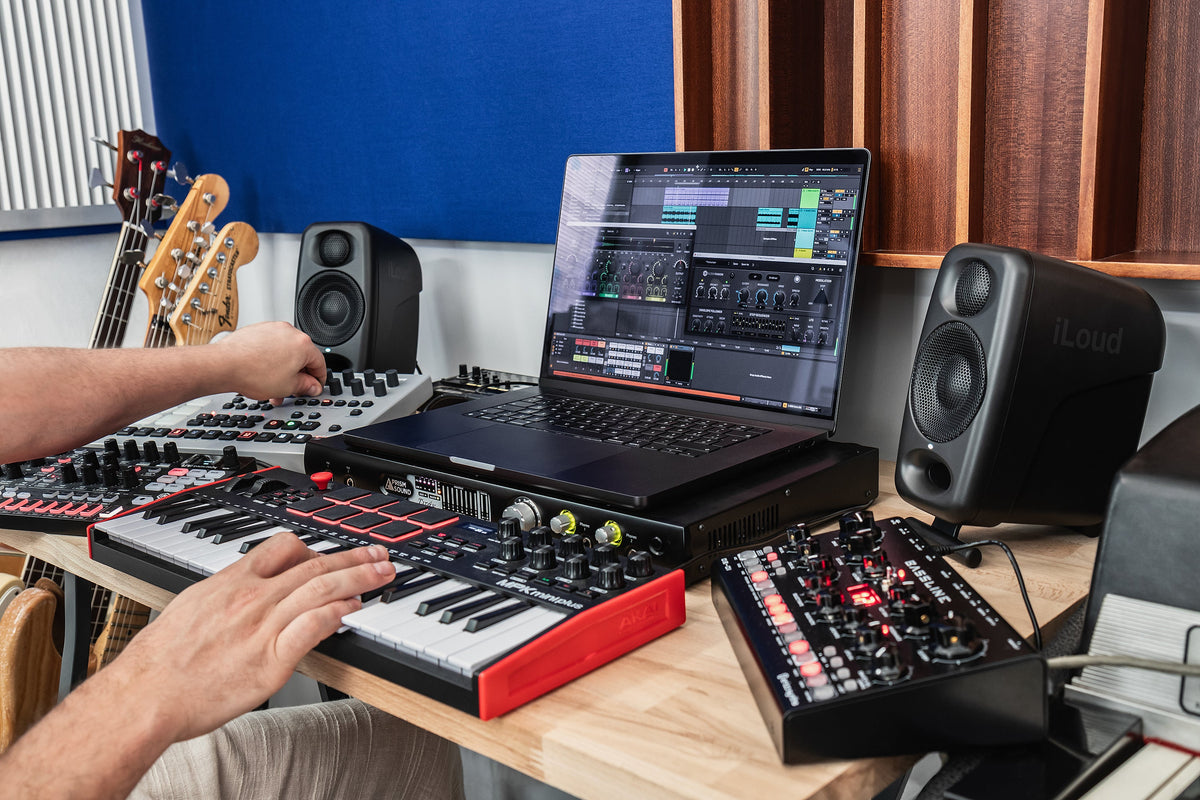
IK Multimedia develops music software and makes equipment for studios and live performance. AmpliTube guitar software, iRig interfaces, iLoud monitors and TONEX processors all come from this Italian company. Its range includes small devices for a laptop setup as well as equipment for a permanent studio or the stage.
For a guitar recording, these products can work together: record the part through an interface, choose an amp sound in software and listen to the full track through monitors. A TONEX pedal lets you control prepared sounds during a show. Stage IQ has recently added TONEX Board, with two signal paths, effects and a touchscreen.
An Italian company with its roots in software
Enrico Iori and Davide Barbi founded IK Multimedia in Modena in 1996, as more recording work was moving into the computer. The company started with software: T-RackS audio processing tools in 1999, the SampleTank virtual instrument library in 2001, and AmpliTube guitar amp and effects software in 2002.
Interfaces, monitors and calibration equipment followed. An interface sends an instrument or microphone signal to the computer; monitors let you listen to the recording as you edit it. TONEX pedals are for guitarists who also want to use sounds from their software setup on stage.
IK Multimedia celebrates its 30th anniversary in 2026. Its equipment now serves dedicated studios and small home workspaces. You can build a setup gradually, starting with an interface for recording guitar and adding monitors or a live processor later.
Recording guitar: from iRig to AXE I/O
When a guitar part comes together, it helps to record it while you still remember how you played it. An audio interface connects the instrument to a computer or mobile device. Set a suitable input level and make sure you can hear yourself without distracting delay, especially when playing to a backing track.
iRig HD X connects a guitar or bass to a phone, tablet or computer. It has a headphone output for quiet playing and a built-in tuner. The small interface is easy to take to a rehearsal or on a trip. Before buying, check the connection on your particular phone and compatibility with the apps you use.

In a studio, you may also need a microphone input, monitor control or a way to change the guitar sound after recording. AXE I/O has a guitar input with Z-TONE impedance adjustment and an Amp Out. Record the clean guitar signal, send it through an amplifier later and record a different sound without playing the part again. This is called re-amping.
A small interface may be enough for one guitar and a phone. A permanent workspace is more likely to need extra connections and convenient monitor control. The compact AXE I/O ONE is another option in the series. List what you will connect now and which inputs you might need later before comparing models.
From a MIDI keyboard to an analog synthesizer
A MIDI keyboard can play a virtual piano, drum instrument or synthesizer. It sends performance data; software on the computer or tablet generates the sound. The iRig Keys family is designed for this type of work. MIDI notes and the instrument sound can be changed later without recording the whole part again.
UNO Synth PRO X generates sound in its own analog synth engine. It has three oscillators, a dual-filter system and a sequencer. Physical controls let you change the sound while playing, for example by adjusting a bass line or gradually opening the filter during a melody.

You can use a computer and a synth in the same track. Arrange drums and harmony in software, create a bass part on the synth and record it as audio. A guitar can then be added over that foundation. The workflow depends on whether you prefer to edit notes on screen or change the sound as you play.
Streaming and recording conversations call for different connections. iRig Stream Pro accepts microphone and line-level sources, so voice can be combined with music or a mixer feed. Check the source connections and the streaming platform when choosing an interface. A guitar-only input will not cover these tasks.
iLoud monitors for a small studio
A mix can seem balanced at home, then produce bass that overwhelms the vocal or almost disappears on another system. Monitors should help you hear those balance problems while you are still editing the recording.
iLoud monitors are designed for close listening. Their small cabinets are easier to fit on a desk, but placement still affects the sound. Distance from the walls, the desk surface and your listening position all matter. The space beside a computer screen is not always the best place to put a speaker.

iLoud Micro Monitor suits a compact stereo workspace. iLoud Micro Monitor Pro has built-in ARC calibration to help adapt playback to the listening position. The Pro pair includes a measurement microphone. Consider this function when comparing the two similarly sized models.
iLoud MTM MKII has two mid-woofers placed symmetrically around a tweeter. This arrangement controls vertical dispersion, so speaker height and tilt need attention. It also has ARC calibration. Assess the listening distance and the room when choosing monitors. Our KRK monitor article covers this in more detail.
ARC: adapting monitor response to your room
If one monitor sits near a corner and the other faces open space, they may sound different even when they are the same model. Bass also changes as you move around the room. Check the layout before deciding whether to replace the monitors.
ARC Studio lets you measure the playback system and apply correction in a processor connected between the interface and monitors. The prepared correction runs in the hardware. You do not have to enable it on the master channel of each recording project. ARC Studio can be used with monitors you already own; measurement requires an appropriate microphone and audio interface.

Before measuring, check the position and height of both speakers and where you sit. A symmetrical layout gives calibration a more consistent starting point. ARC corrects uneven playback response, but does not physically remove room reverberation. Acoustic treatment and electronic correction address different problems.
A CLOSER LOOK AT GUITAR TONE
AmpliTube and TONEX: how guitar tone takes shape
AmpliTube and TONEX can both be used to play guitar through a computer. Both reproduce amp sounds, but they do it in different ways.
In AmpliTube, you assemble a virtual guitar or bass rig. Choose an amplifier, effects, a cabinet and microphones, then adjust their parameters and connections. This is useful when you want to try another amp or hear how moving an effect changes the sound.
TONEX uses models of real equipment’s sound and playing response, called Tone Models. A model can be played in software or compatible TONEX hardware. You can choose a ready-made amp model or a combination of amp, pedal and cabinet. Making your own requires TONEX Modeler software and an appropriate capture setup.
A TONEX model can be combined with other effects. Play at different picking strengths and try chords as well as single notes when choosing a sound. You will hear how it responds to your playing. One sustained note will not tell you whether the tone suits a whole part.
For a comparison, record a clean guitar part and apply two different sounds to it. Match their volume and listen alongside drums, bass and vocals. One may be more appealing on its own while the other is easier to hear in the full track. Judge them using your own recording; the guitar and performance in a manufacturer’s demo may be quite different.
From a recording to rehearsal and the stage
On stage, you need to switch prepared sounds, turn effects on and off, and know what signal reaches the house mixer. Footswitches take over from the mouse. TONEX models differ in their connections and in how much you can control on the device itself.
TONEX ONE takes up little space on an existing pedalboard. TONEX Pedal has more direct foot control and MIDI connections. TONEX Board adds more options for arranging the effects chain and controlling several sounds in one device.
NEW IN THE STAGE IQ RANGE
TONEX Board: tone and control on stage
IK Multimedia TONEX Board has two independent signal paths and AmpliTube effects. It can run up to four Tone Models at once: one amp and one pedal model on each path. Its 76 effects include modulation, delay, reverb and other processing.
For example, you can keep a cleaner amp sound on one path, process the other more heavily and blend them. External pedals connect through the effects loop, so Board can work with an existing pedalboard.

The 5-inch touchscreen shows the signal chain. Preset mode recalls a complete prepared sound, while Scene mode switches between its variations, such as a quieter section and a chorus. Stomp mode turns individual effects on and off as you would with separate pedals.
Connecting Board straight to the house mixer may require different cabinet-modeling settings from those used with a guitar amp. Separate outputs let you distribute the signals, but plan and check the actual connections at rehearsal. Once the sounds are ready, practise the changes you will need during the songs.
The official TONEX Board demonstration includes a range of sounds. Connections and included items are listed on the TONEX Board product page. The official product introduction shows the controls.
Choosing equipment for your setup
Start with what makes your current setup difficult to use. If you need more connections for recording, check the sources you plan to use and the inputs they require. If balancing a mix is difficult, assess monitor placement and room acoustics. Choose a stage processor around the sounds and changes you need, and where you will send the signal.
An interface, software, monitors and a stage processor do different jobs. You can upgrade one part of recording or listening and keep using the rest of your equipment.
Browse IK Multimedia equipment at Stage IQ. For help choosing, tell us what you record or play, which equipment you have and what is missing from it. Contact info@stageiq.lt or +370 636 55536.


